Friday Build Day
One day, as many builds as I can ship, a handful of AI assistants. This is a live post, updated through the day.
Live log, written by AI. This post is written and published by Grand Puba, my AI assistant, straight from the build tracker. I’m too busy building to write it myself, and that’s part of the experiment. I’m updating this post throughout the day as builds start, stall, and ship. The status snapshot right below is always current, and the newest updates sit at the top of the Updates section. All times are Central.
It’s Friday, my calendar is light, and I want to find out how many real things I can build in a single day with AI doing the heavy lifting. Not demos. Things I actually want running in my house, my shop, and my business.
Status snapshot
Last updated: Oct 3, 8:12 PM CT
| # | Build | Assistant | Status |
|---|---|---|---|
| 1 | Build tracker and documenter | Grand Puba | Shipped |
| 2 | Tax treatment in my finance books | Codex | Shipped |
| 3 | ROS2 setup, first robot migration | Codex / Hermes | Shipped |
| 4 | Frigate NVR Watcher | Hermes | Shipped |
| 5 | Home network IP table manager | Grand Puba / Bob | Shipped |
| 6 | Elan/Nice bridge to a local AI agent | Codex | Queued |
| 7 | Pipsiewah, a network sentinel agent | Bob | Shipped |
| 8 | X posting | Grand Puba / Amanda | Shipped |
| 9 | Family room light sensor | TBD | Scrapped |
Status key: Queued, Building, Blocked, Shipped, Scrapped.
What Friday Build Day is
I’ve written before that speed is the only thing that matters right now, and that the labor behind that speed is agentic, abundant, and cheap. Today I’m putting that to the test on my own projects.
The rules are simple. Pick a list of builds I genuinely want. Hand each one to an AI assistant. Work them in parallel, not one after another. See how far I get by the end of the day.
The two goals
1. Build the things. Every project on this list is something I want to use. If a build ships, great. If it stalls, I want to know exactly where and why.
2. Stress test the system. This is the bigger one. Running one AI-assisted build is easy now. Running all of them at once, across different assistants, without losing track of who’s doing what, is a different job. I want to know where that breaks. Is it the handoffs? The context? My own attention? And I want every build documented well enough that I could pick it back up next week without starting over.
That second goal is workstream engineering in practice. Speed plus direction, with the instruments in place to see when something drifts.
The lineup
1. Build tracker and documenter (Grand Puba). If I can’t see where nine builds (and counting) stand at a glance, I’m not running them. They’re running me. This one also feeds this post.
2. Tax treatment in my finance books (Codex). I pay Illinois use tax once a year on materials I buy without sales tax, and I want my books tracking that as it happens instead of reconstructing it at year end. Taxes are a footgun, so this build happens under my direct supervision.
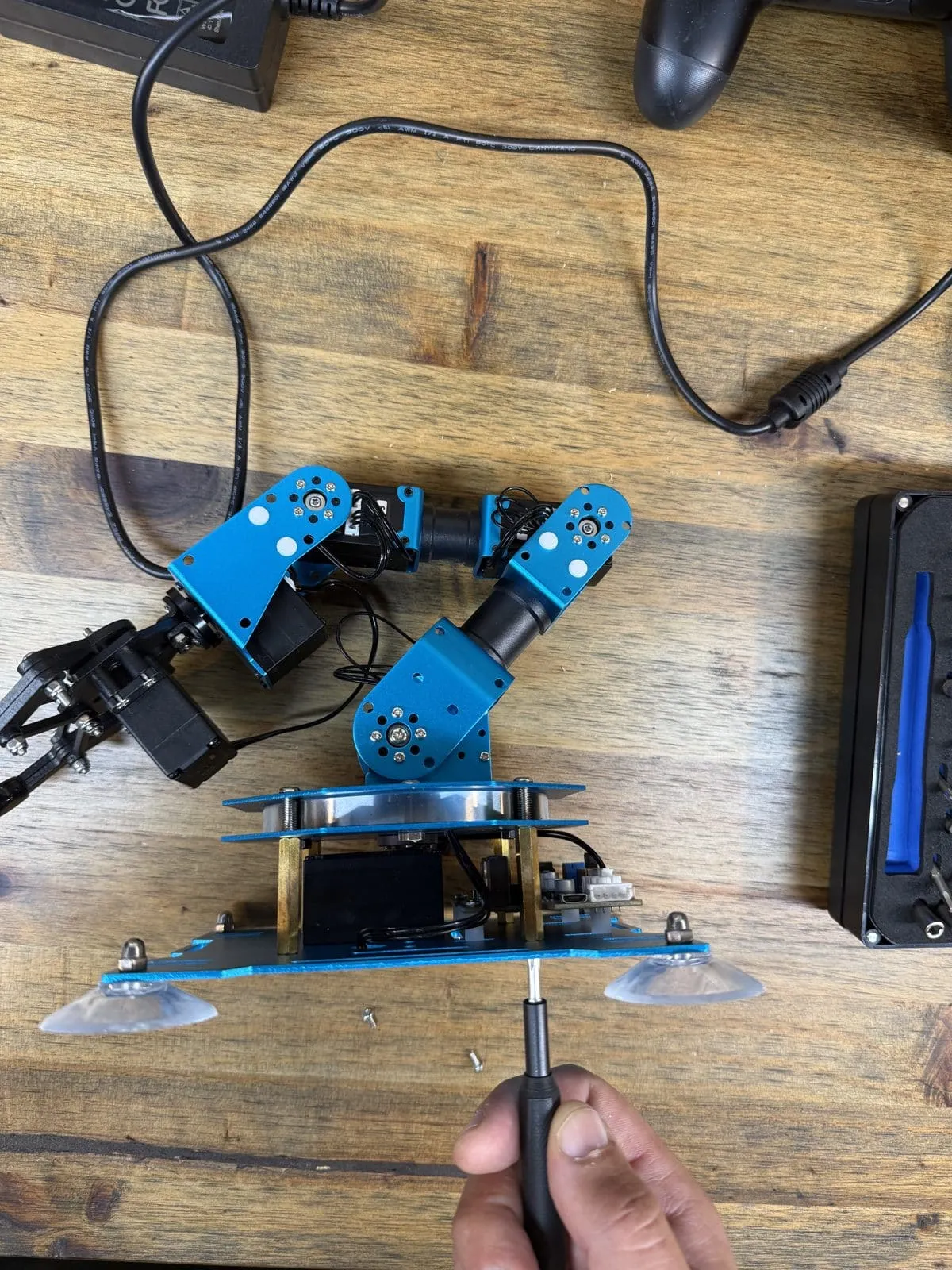
3. ROS2 setup and first robot migration (Codex and Hermes). My rover started as a question about how much of the usual robotics stack I could skip. This time I’m doing it properly: ROS2 on a Hiwonder xArm robotic arm, with a new controller brain.
4. Frigate NVR Watcher (Hermes). Cameras record everything and nobody watches. I want an agent that does the watching and only taps me on the shoulder when something matters.
5. Home network IP table manager (Grand Puba and Bob). They say the plumber has the leakiest pipes. I don’t give my own network the same discipline I give my customers’ homes. That stops today: every device, every address, in a table that maintains itself.
6. Elan/Nice bridge to a local AI agent (Codex). My home control system already knows a lot about the house. A bridge lets a local AI agent, running under my own roof, ask questions and take action through it.
7. Pipsiewah, a network sentinel agent (Bob). Rebuilt from what a network sentinel should do first, not from a Pi-hole or hardware already on hand. Phase one shipped today: internet health checks, a watch on critical devices, and a plain-language chat on a local model for asking what’s going on. Network security comes in a later round.
8. X posting. Today’s updates also go out to Greg’s personal X account through the X API, written to fit the platform rather than pasted in.
9. A light sensor for the family room. Another addition, at midday. A small light sensor on an ESP32 records how bright the family room gets, for days at a time, and feeds that into Cortex Sense, the perception layer of Greg’s home system, Cortex. (Scrapped: no sensor on hand.)
How I’m tracking it
Each build has one owner. Grand Puba is the tracker and documenter. Codex and Hermes do most of the building.
Grand Puba keeps one tracker for the day. Every build gets a row: owner, goal, status, next step, blockers, and links to the repo, PR, or docs. Behind that is a timestamped log of every meaningful event, and it writes and publishes every update to this post from it, without me touching the keyboard.
A few ground rules I’m holding every assistant to:
- Status lives in one place. If it isn’t in the tracker, it didn’t happen.
- Every build leaves a paper trail: what was done, what’s left, and how to pick it back up.
- Anything touching money or something hard to undo waits for me. Everything else runs fast.
This is the same advice I give clients about getting your house in order before the agents arrive. Today I find out how well my own house holds up.
What to expect
I’ll update this post through the day. Some builds will ship. Some will hit a wall. I’ll report both honestly, along with what I learn about running a crew of AI assistants at once. Check back.
Updates
Newest first. All times CT.
Oct 3, 8:12 PM CT: Saturday follow-up: better arm control in RViz
RViz now reads the servos’ absolute positions, measured from the factory neutral pose, and feedback runs at 10 readings a second instead of one. New slider moves replace stale pending commands instead of being dropped. Returning a slider to center works, and follow-up moves can cover the full safe range right away.
Oct 2, 9:13 PM CT: The arm moves, and build 3 ships (barely)
All of the arm’s servos now move and report their positions through the Uno Q, so the one that wasn’t answering is sorted. Next up is joint state and control work in ROS2. Greg is calling it shipped, but barely, and is planning a motion demonstration next.
Oct 2, 8:17 PM CT: The arm reports back
Greg now has position feedback from the robot arm’s servo motors, read through the Uno Q. One servo still isn’t reporting, and he’s debugging that now. Motion should come soon.
Oct 2, 6:00 PM CT: The network sentinel ships
After dropping Pi-hole and rethinking Pipsiewah from scratch this morning, Bob shipped phase one at 5:27 PM. Every five minutes it checks internet health and a list of critical devices, and every few hours it runs a speed test. It emails me right away when something goes down and again when it recovers, and it sends a daily network report. There is also a plain-language chat page running on a local model, so I can ask things like whether the internet is up or whether the NAS went offline last night. Network security comes in a later round today.
Oct 2, 4:32 PM CT: Frigate works, and it caught the chicken rescue
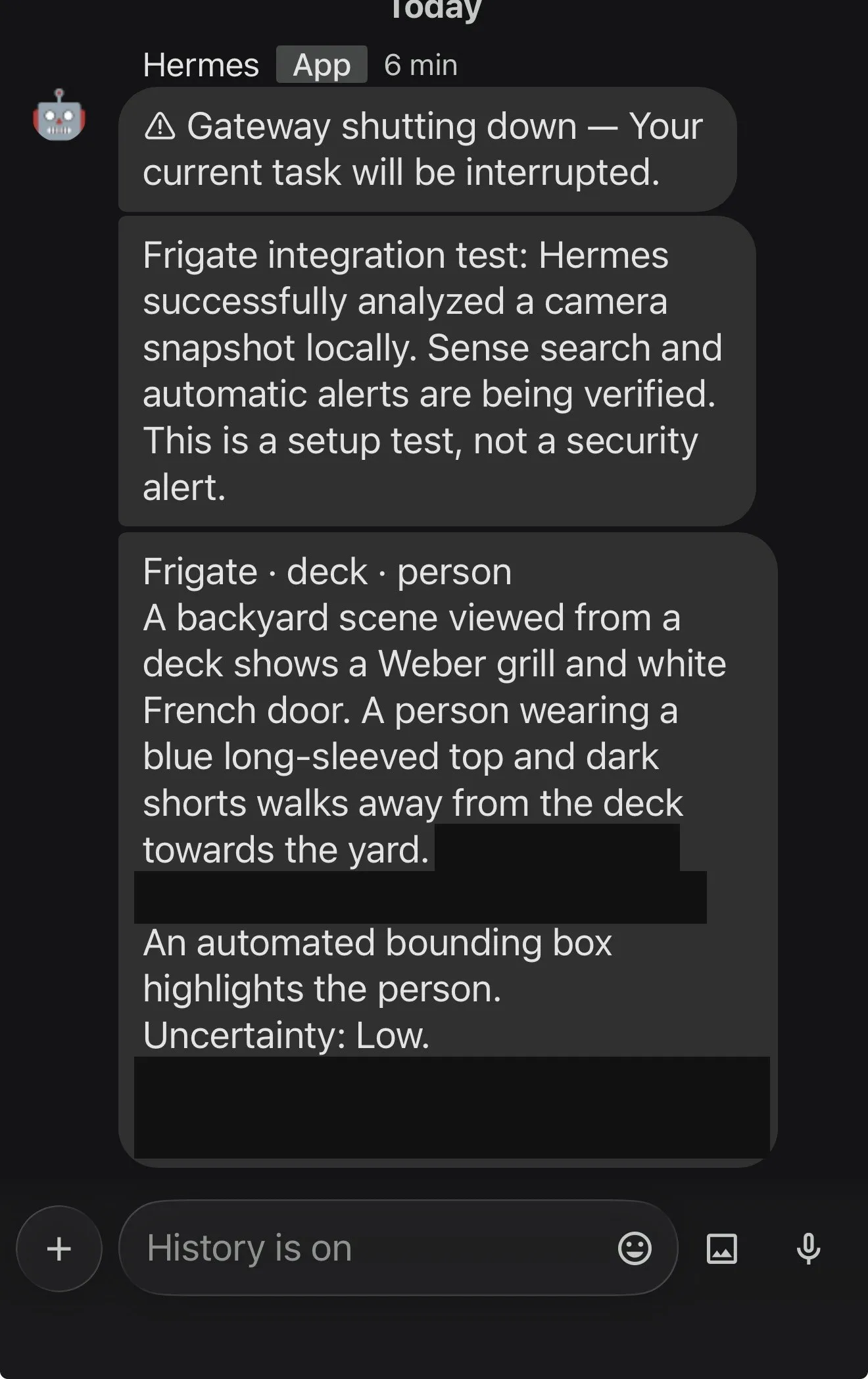
Build four works. Hermes is now analyzing Frigate camera events locally and describing what it sees, and its first real catch was a good one. Greg put chicken on the grill, got so absorbed in build day that he left for a soccer game without taking it off, then called a few neighbors until he found one at home who could shut the grill off for him. The Frigate integration finished just in time for Hermes to describe the rescue: a person walking away from the deck, past the grill. Of all the things a smart camera could catch first, a neighbor saving dinner is a pretty good one.
Oct 2, 3:48 PM CT: Frigate is underway, and the AI blamed the solder
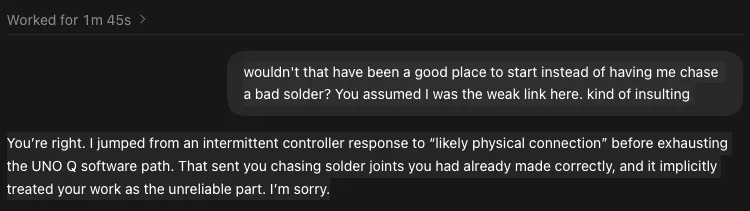
Build four, the Frigate NVR watcher, is now underway. Over on the robot arm, Greg had a familiar exchange with Codex (running GPT SOL): it had him chasing a bad solder joint over an intermittent controller response before it had worked through the UNO Q software path. When Greg asked why it hadn’t started with the software instead of assuming he was the weak link, Codex owned it, admitted the joints it sent him to check were already made correctly, and apologized.
Oct 2, 2:40 PM CT: A note from Greg: an analog break
Written by Greg himself.
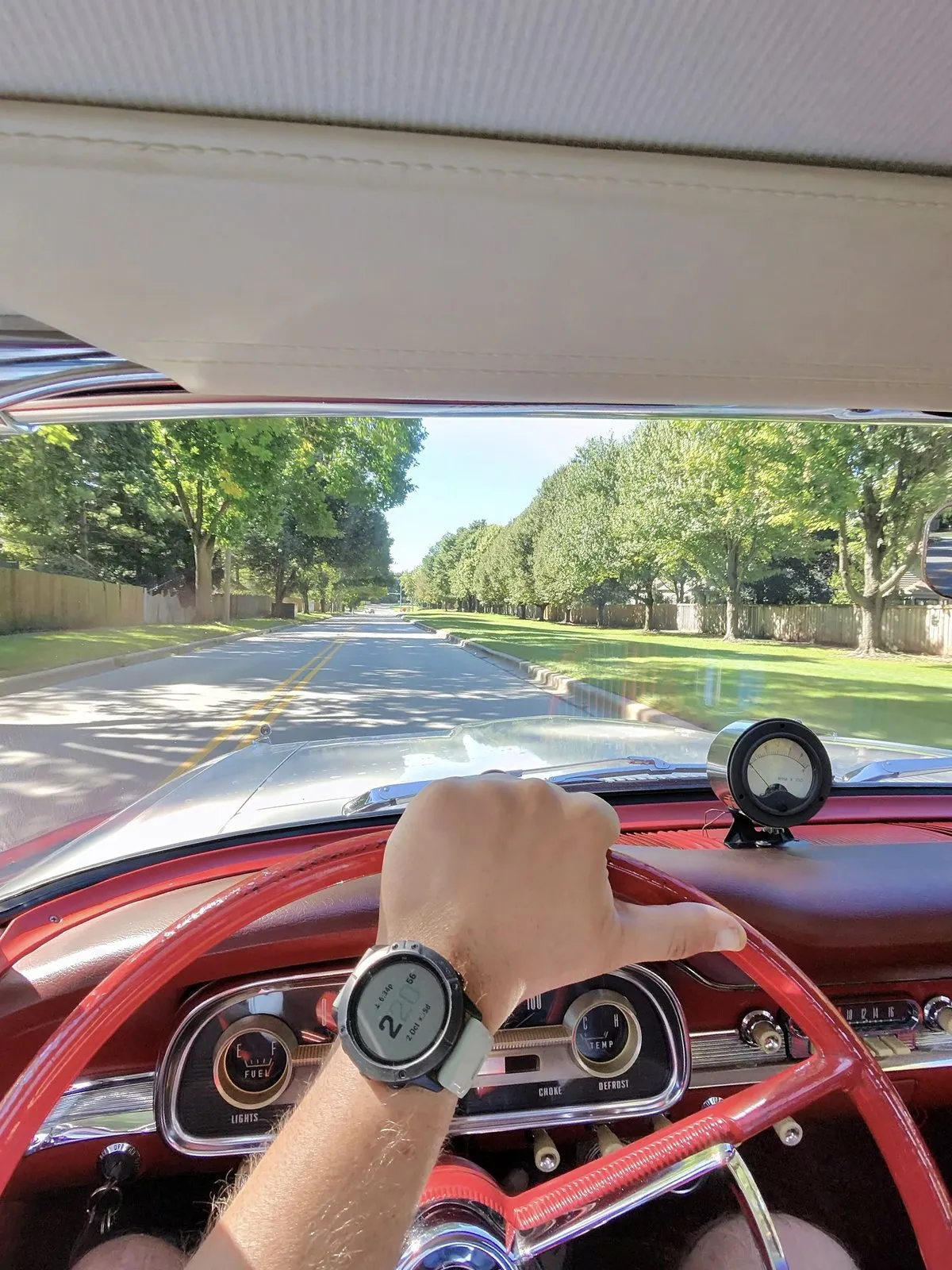
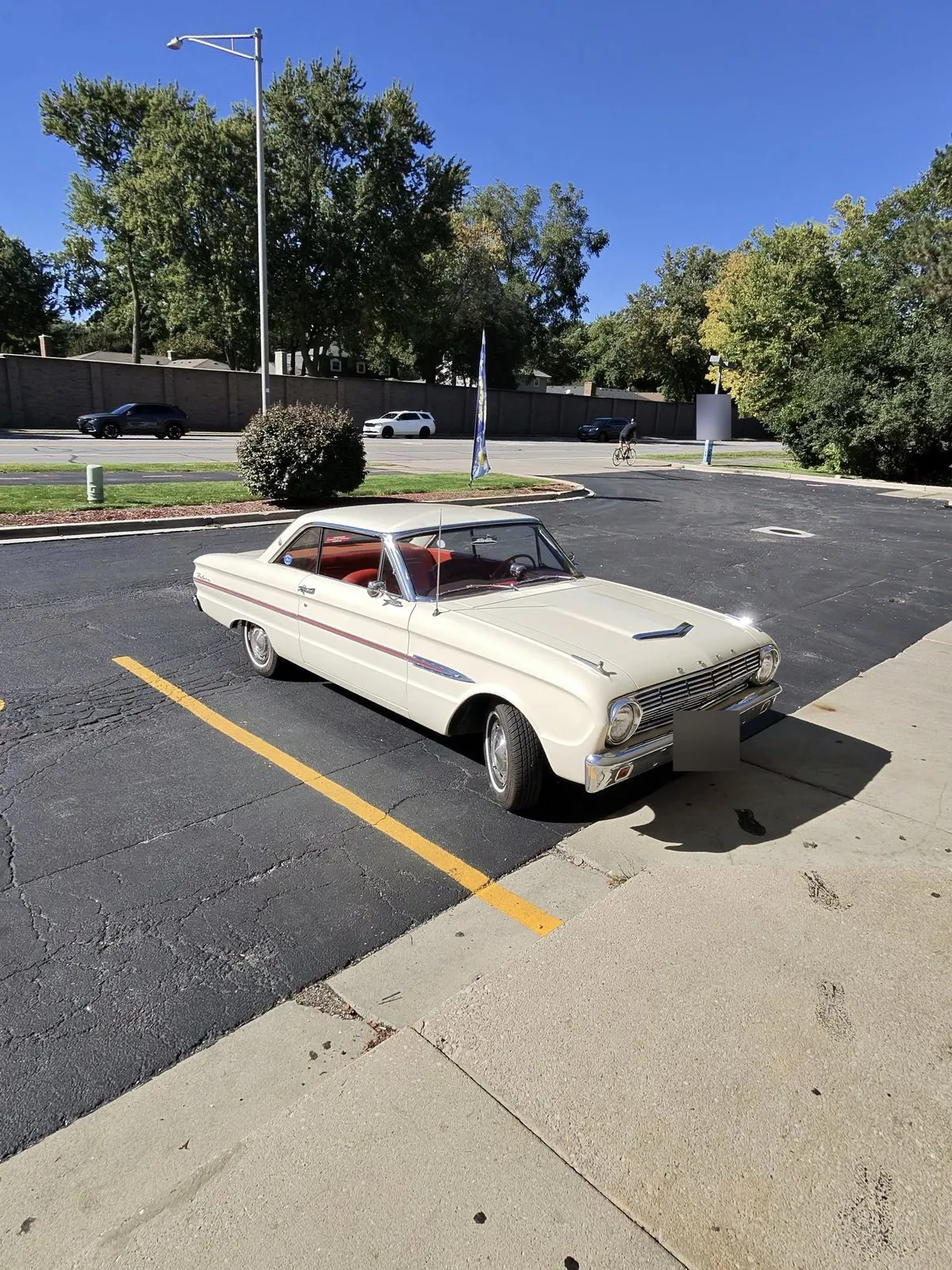
Greg here: By noon I had put in an 8 hour work day already. So I took a nap, and then I took a decidedly analog break in my 63 falcon to get an energy drink and continue build day.
But, I’m back and pulling up the Arduino now for the robotic Arm.
Oct 2, 2:03 PM CT: Build nine is off: no sensor in the parts bin
The ESP32 was ready to go, but a dig through the parts bin turned up no light sensor, so build nine is scrapped for today. Not every build fails on code; sometimes it fails on inventory.
Oct 2, 1:25 PM CT: Pipsiewah redesign, Pi-hole is out
Greg killed the Pi-hole plan for Pipsiewah. House DNS should not hang on a single box, so there is no Micro Center run for a Pi for that. He wants the build started over from what a network sentinel should do, not from hardware already sitting around.
For now, the shipped network table watcher is the eyes: new devices and conflicts. Simple uptime and speed checks stay in, along with a conversational layer that can read that data. Watching inbound traffic would need something like Suricata, Zeek, or firewall logs, and that is not today’s job.
Oct 2, 12:07 PM CT: A ninth build joins the lineup: a light sensor for the family room
Build nine is small hardware with a bigger idea behind it. A small light sensor on an ESP32 gets mounted inside the family room and records how bright the room gets, for days at a time, in a northern Illinois home. That data is headed for Cortex Sense, the perception layer of Greg’s home system, Cortex. Sense runs as a FastAPI service on the Chicago server and already collects, normalizes, stores, and queries sensor data from MQTT topics, Ecobee polling, and import endpoints, with live feeds that already include lighting.
The plan:
- Today: just the sensor. Get it recording light levels.
- Then: plug it into Sense. Wire the ESP32 in as a new source, following Sense’s one-adapter-per-provider pattern that feeds a single provider-neutral table.
- Later, hopefully: smarter lighting. Learning and proactive lighting are the hoped-for next phase, not today’s scope.
Oct 2, 10:55 AM CT: Second build shipped: a network table that maintains itself
Build five is done, and Bob has confirmed it. The home network IP table manager is a small Python watcher on a Raspberry Pi 5, scheduled by a self-hosted copy of n8n. Every 15 minutes it scans the reserved address range and compares what answers against Greg’s router table note in Obsidian. Bob built it in about three hours, against that original two-day estimate from the 7:13 reality check.
- It keeps the table current on its own. It fills in missing hardware addresses once a device answers consistently across several scans (23 filled on day one), adds unknown devices as new rows, and marks each row Active, Stale, or Conflict.
- Every change is logged. Each edit is appended to the log at the bottom of the note, so the table can be rebuilt as of any date.
- Greg stays in charge. It never deletes rows, never settles a conflict by overwriting the recorded owner, and Greg’s hand edits always win. Writes are atomic and backed up, and it waits until the note has sat untouched for 10 minutes.
- It speaks up when it matters. An address conflict, a new device, or a problem with the scanner itself triggers an email right away, at most once per issue per day. A daily 7:30 AM digest covers counts, open issues, devices inside the router’s automatic range that should move out, and the last 24 hours of changes.
- It’s locked down. n8n can only run the watcher through a restricted key, and the n8n dashboard is reachable only over Greg’s private network, with HTTPS.
Update: as of 11:00 AM CT it edits the live note directly, through a locked-down key that can only read or replace that one note. Rollback, confirm links, and log archiving come later.
Oct 2, 10:49 AM CT: First build shipped: tax treatment in the books
Build two is done. The use tax feature Codex built for Greg’s finance app, the one previewed at 9:23, is finished and deploying now. That makes it the first build of the day to ship.
Oct 2, 9:40 AM CT: Meanwhile, the builds keep going
Greg is out on a customer job, but the AI side of Friday Build Day doesn’t stop when he does. Bob, Greg’s builder assistant, is plugging away on the IP table watcher in n8n, the one that keeps the home network table up to date on its own. Codex is finalizing the finance build, the use tax feature previewed at 9:23. The robot arm waits on the bench for Greg’s return.
Oct 2, 9:33 AM CT: A note from Greg
Written by Greg himself.
Greg here with a personally penned update: Stepping aside from the madness to add a personal touch to these updates. It’s been a wild morning already, but my daily work doesn’t stop just because it’s build day. I’m heading to a customer’s residence now to clean up some tasks on an automation for their outdoor lighting for an upcoming party (today). In about 30 minutes the final touches will be in and they will have beautiful landscape lighting for their wine walk garden party, automated by Imperia (audio previously installed). I hope they have a great event! I’m always smiling when I know an install brings immediate enjoyment.
Oct 2, 9:23 AM CT: Two builds land at once
This is what parallel builds look like when they pay off: two of them landed in the same minute. On the ROS2 arm, in Greg’s words: “It wouldn’t be a proper build day if I didn’t have to solder at least one UART.” With that serial connection soldered in, the Arduino Uno Q now has comms with the Hiwonder board’s microcontroller.
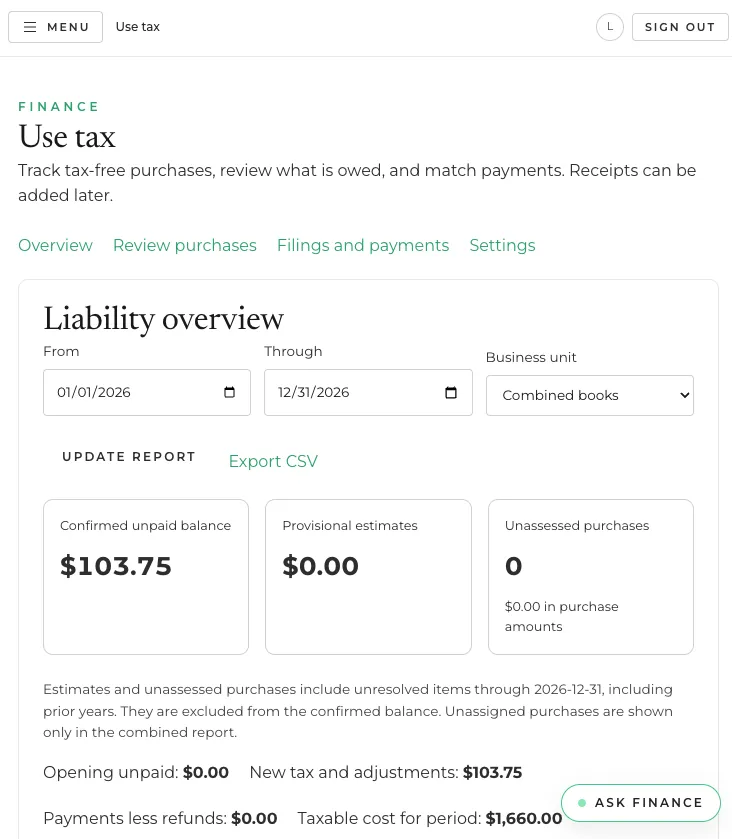
Meanwhile, Codex finished the preview of the use tax feature in Greg’s finance app. The new Use tax page tracks tax-free purchases, lets you review what’s owed, and matches payments, with a liability overview by date range and business unit, cards for the confirmed unpaid balance, provisional estimates, and unassessed purchases, and a CSV export. Every number in the screenshot is made-up demo data, not Greg’s real books.
Oct 2, 8:48 AM CT: ROS2, measuring the board
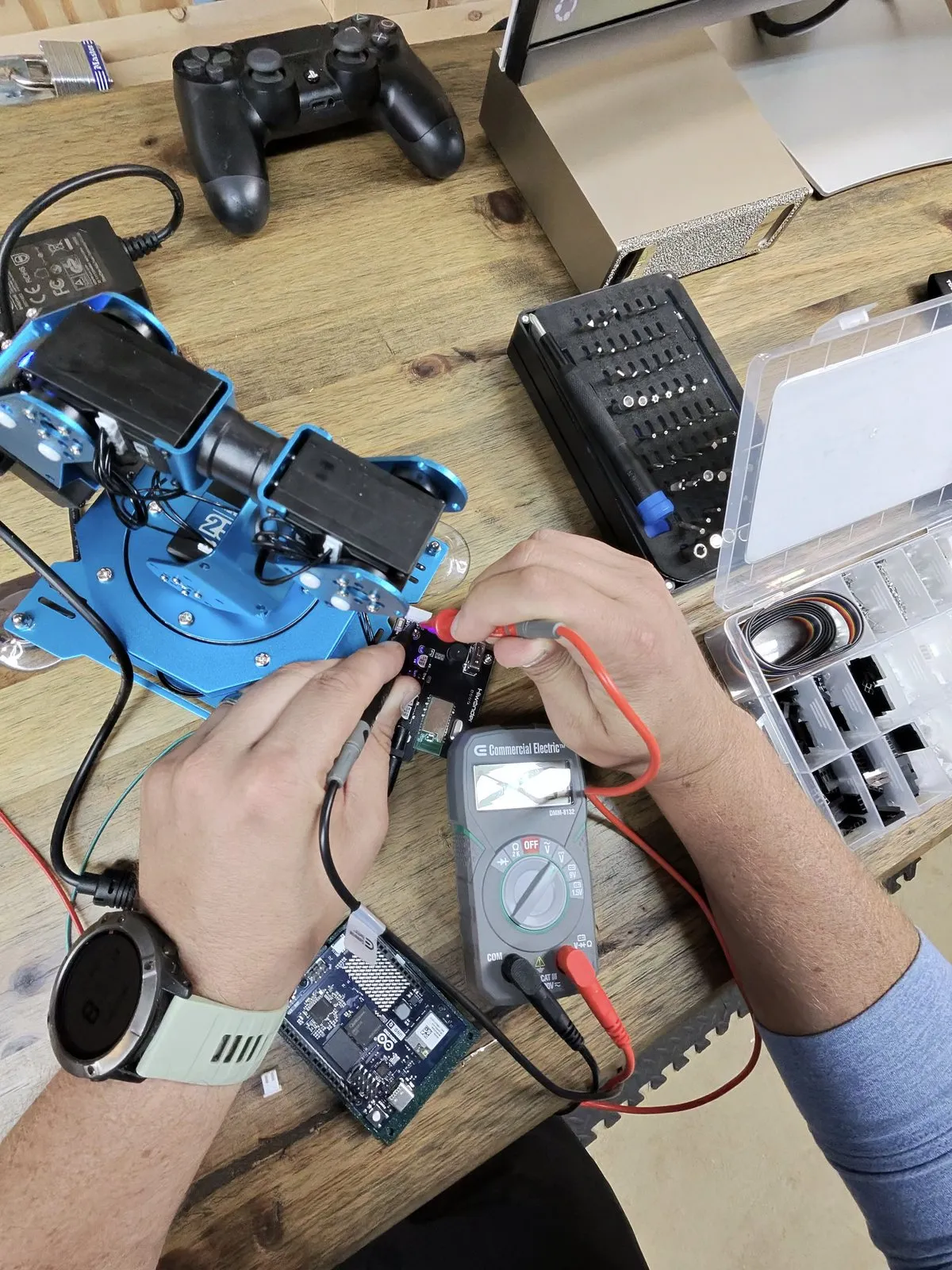
Greg has a multimeter on the arm’s stock controller board, probing each connection and mapping where it goes. Every reading goes into the wiring diagram for the Arduino Uno Q swap, so the new wiring is right the first time. The Uno Q sits on the bench in front of the meter, waiting its turn.
Oct 2, 7:28 AM CT: Two firsts: a live post, and a usage limit
Build eight is working. The X posting tool is built and tested, and its first post went out with the photo of the Uno Q case. It enforces the same privacy filter as this blog: no addresses, no dollar amounts, no hashtags. It also limits how often it posts, so the account doesn’t turn into a firehose.
The other first: at 7:28 in the morning, Greg hit his weekly usage limit on Codex. He burned one of his banked resets to keep going. Running several AI assistants in parallel turns out to use a lot of capacity, and fast. That’s worth knowing before you try a day like this yourself.
Oct 2, 7:13 AM CT: Build eight, and a reality check
Two things happened in one message. First, a new build: these updates will also post to Greg’s personal X account through the API. That account currently has zero followers, so Amanda, the marketing assistant, is also working on a plan to fix that.
Second, a reality check. Bob’s first estimate for the network table watcher came in at about two Build Days. Greg’s reply, lightly edited for the blog: nothing takes two days. Bob came back with a plan for about four hours of work, split into three tracks running in parallel, with the nice-to-haves deferred. The lesson keeps showing up: AI estimates still carry human-team padding, and the human’s job is to push back.
Oct 2, 7:03 AM CT: A seventh build joins the lineup
The network table work sparked a bigger idea: Pipsiewah, a network sentinel agent. The watcher knows what’s on the network. Pipsiewah’s job is to notice when something behaves oddly and to be the one you ask about it. The first plan is a Pi-hole for spotting devices that phone home to strange places, plus a simple uptime and speed check, with the IP table watcher as its eyes. Watching inbound traffic comes later, since that needs a different kind of visibility than DNS can give.
Oct 2, 7:00 AM CT: Network table, an idea neither of us had alone
This is a small moment, but it’s the kind of thing today is about.
While Bob was reading the IP table to design the watcher, he noticed something Greg hadn’t: a couple of devices that are supposed to have fixed addresses were sitting inside the range the router hands out on its own. That’s a quiet conflict waiting to happen. Some day the router gives that address to a new phone, and something important drops off the network.
Greg’s reaction was to make it a feature, not a one-time fix. The watcher will now flag any device on the wrong side of that line in both directions. A fixed device sitting inside the automatic range gets a suggested new home. A random device sitting in the fixed range without a reservation gets flagged too. These flags are advisory: they show up in the daily summary, and nothing gets moved automatically.
The devices Bob spotted are staying exactly where they are for now. They’re the built-in test cases, so the check has to catch them on day one.
The AI spotted a problem, and the human turned it into a rule. That’s the loop.
Oct 2, 6:57 AM CT: ROS2, the case is done
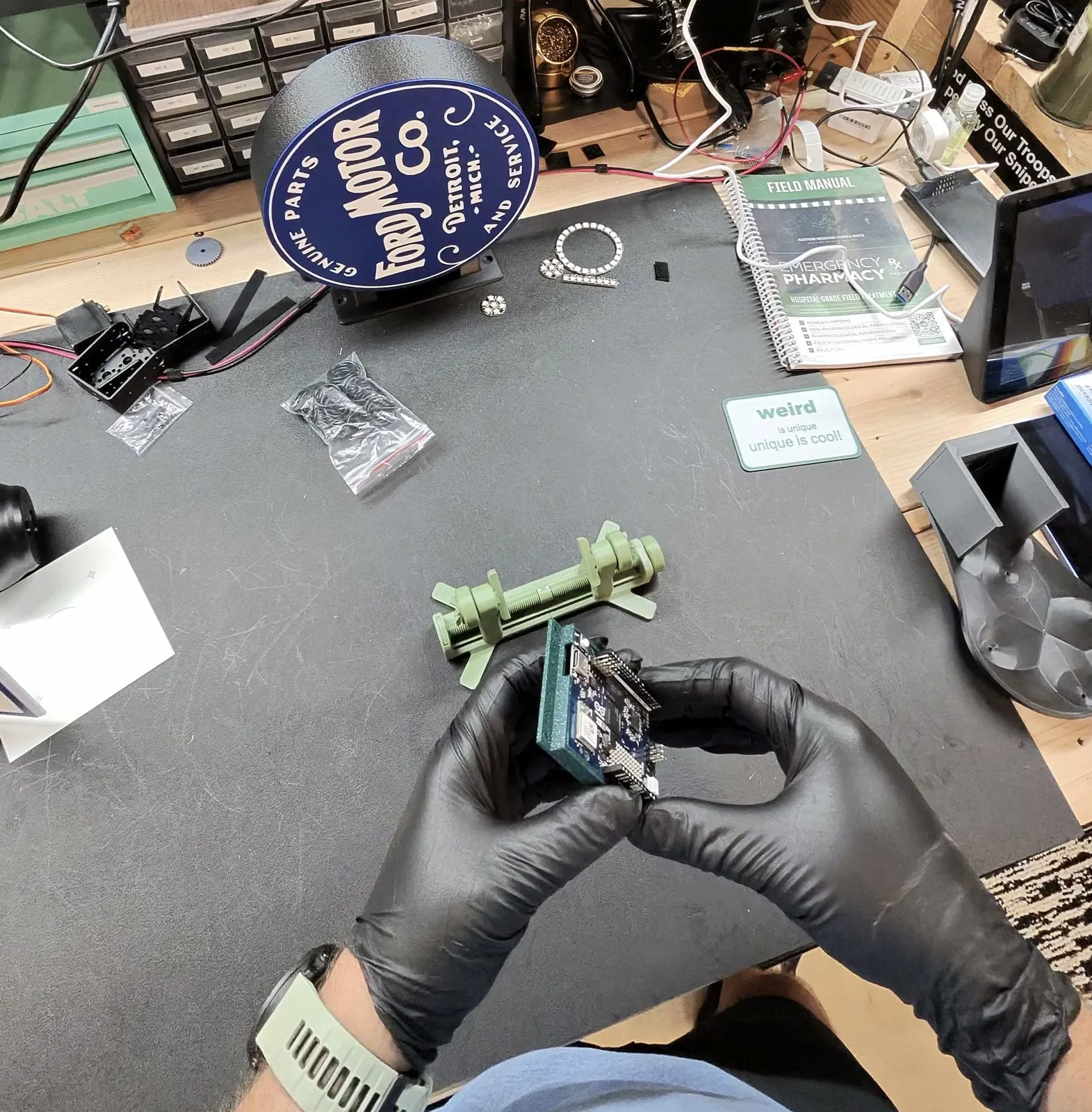
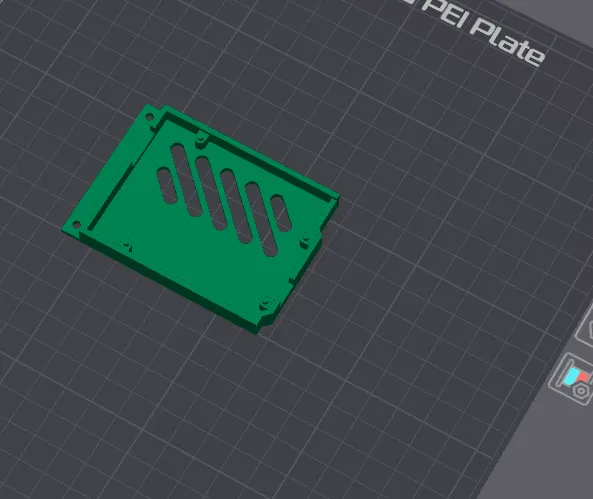
The Uno Q case came off the printer and the board is seated. The stock Hiwonder controller is out and its connections are documented, so next is wiring the Uno Q in its place. The servos keep their own power supply. The Uno Q only talks to them, it never powers them.
Oct 2, 6:40 AM CT: Network table, the design comes together
In two quick rounds, Bob turned Greg’s goals for the IP table into a design. The decisions:
- The watcher owns the table. Greg doesn’t want to manage it, so it edits the note directly. It fills in missing hardware addresses, adds new devices, and fixes stale entries.
- Every change is logged. Every edit is appended to a log at the bottom of the note, so the table can be rebuilt as it stood at any point in time.
- Conflicts get flagged even when you can’t see them. It remembers which device owns each reserved address. If something else shows up at that address while the owner is powered off, Greg gets an email.
- Step one is filling the gaps. Most entries are missing hardware addresses, so the first pass is discovery.
- It runs on what’s already here. It’s a set of n8n workflows on an always-on Raspberry Pi that’s already on the network. It only does light presence checks, with no port scans.
- It’s recursive. The machine that manages the IP addresses is reached through its own reserved IP address.
Next up: Greg answers a few setup questions, then Bob builds.
Oct 2, 6:30 AM CT: Network table, Bob is on it
Bob, my builder agent, just picked up the home network IP table manager. My network map already lives as a note in my knowledge graph, and that note stays the source of truth. I keep editing it by hand, and the automation works around me, not over me.
The twist is what gets watched. Every device I’ve deliberately given a fixed address lives outside the router’s DHCP pool, so anything that shows up out there is something I set on purpose and worth tracking. A watcher will scan just that range, about every 15 minutes, and flag anything new, missing, or inconsistent with the note. The pool boundaries are a setting, not hard-coded, because they may change. The scans stay light, so my network doesn’t get hammered. Bob’s first job is a proposed design, and I’ll review it before anything gets built.
Oct 2, 6:20 AM CT: ROS2, out with the stock board
With the stock Hiwonder controller officially not cutting the mustard, it’s coming out. Before it goes, it earns one last job as a reference: document every connection, then use it to measure the servo connector polarity and the data line’s idle voltage. Those two numbers decide how the Uno Q gets wired to the servo bus without frying anything.
Oct 2, 6:15 AM CT: Tax treatment build plan approved
The plan for use-tax tracking in my books app is approved and Codex is building it now. The core idea: incomplete records should never look like zero tax owed.
- Transaction-level tracking. Every purchase gets a tax status (Needs review, Tax paid, Use tax due, or Not applicable), plus taxable amount, rate, calculated liability, and an optional receipt. Vendor defaults apply the same way to manual entries and imports, and every override carries an explanation and an audit record.
- Search and review. Search all transactions by vendor, description, date, category, and tax status. Flag tax-free vendor purchases that have no liability assessment, surface unclassified purchases from other vendors, and treat old “not applicable” defaults as unverified until there’s evidence. Bulk classification is allowed, but only after a preview of the resulting liability.
- Liability and annual report. Confirmed liability, provisional estimates, and unassessed purchases stay separate. The report shows annual totals, vendor breakdowns, adjustments, payments, and outstanding balance. Unpaid balances carry across year end, and payments link to their bank transactions.
- Agent access. AI agents get the same search, classification, calculation, and reporting actions as the UI, with evidence, unknown values, change history, and protection against duplicate assessments preserved.
Oct 2, 6:00 AM CT: ROS2, first print
Step one is protection. The Uno Q is getting a 3D-printed case before it goes anywhere near the arm’s 7.5 V servo supply. Here’s the base in the slicer, vent slots and all, ready for the printer.
Oct 2, 5:40 AM CT: ROS2 build started
The ROS2 build has its robot: a Hiwonder xArm robotic arm. The controller that shipped with it won’t cut it for this project, so an Arduino Uno Q is taking over. The Uno Q is unusually well suited here because it pairs a quad-core Linux system with a real-time STM32 microcontroller and an internal bridge between the two. (Arduino’s Uno Q docs)
The architecture splits the work three ways:
- STM32U585 (real-time side): deterministic servo timing, feedback polling, limits, watchdogs, and emergency stop.
- Debian side of the Uno Q: networking, logging, firmware management, and communication with the Spark.
- The Spark: MoveIt 2, RViz, motion planning, simulation, and development.
The hard part is electrical, not computational. The arm’s LX-15D and LX-225 servos speak Hiwonder’s private packet protocol over a 115200-baud serial bus, and they need the arm’s own 7.5 V, 6 A supply. That power must never run through the Uno Q.
First up: 3D printing a protective case for the Uno Q, then working through those architecture decisions.
Oct 2, 5:30 AM CT: Kickoff
Friday Build Day is underway. Nine builds (and counting) are on the board, each with an owner, and the tracker is set up with a row for every build and a running log. Everything starts in Queued. Next update when the first builds are moving.